
FluidVoice: free, on-device dictation that beats the paid apps
Speak naturally, write instantly — and never send a syllable to the cloud. Our take on the open-source, entirely on-device voice-to-text app for macOS.
 Sonny
3 min read
Sonny
3 min read
The Kinetic take — ★★★★½ (4.5 / 5)
A free, private, genuinely fast dictation tool that quietly makes its paid competitors look overpriced.
- Ease of use — ★★★★★ (5/5). Hold a hotkey, talk, done.
- Value — ★★★★★ (5/5). Free and open source.
- Best for — anyone who types for a living and values privacy.
What it is
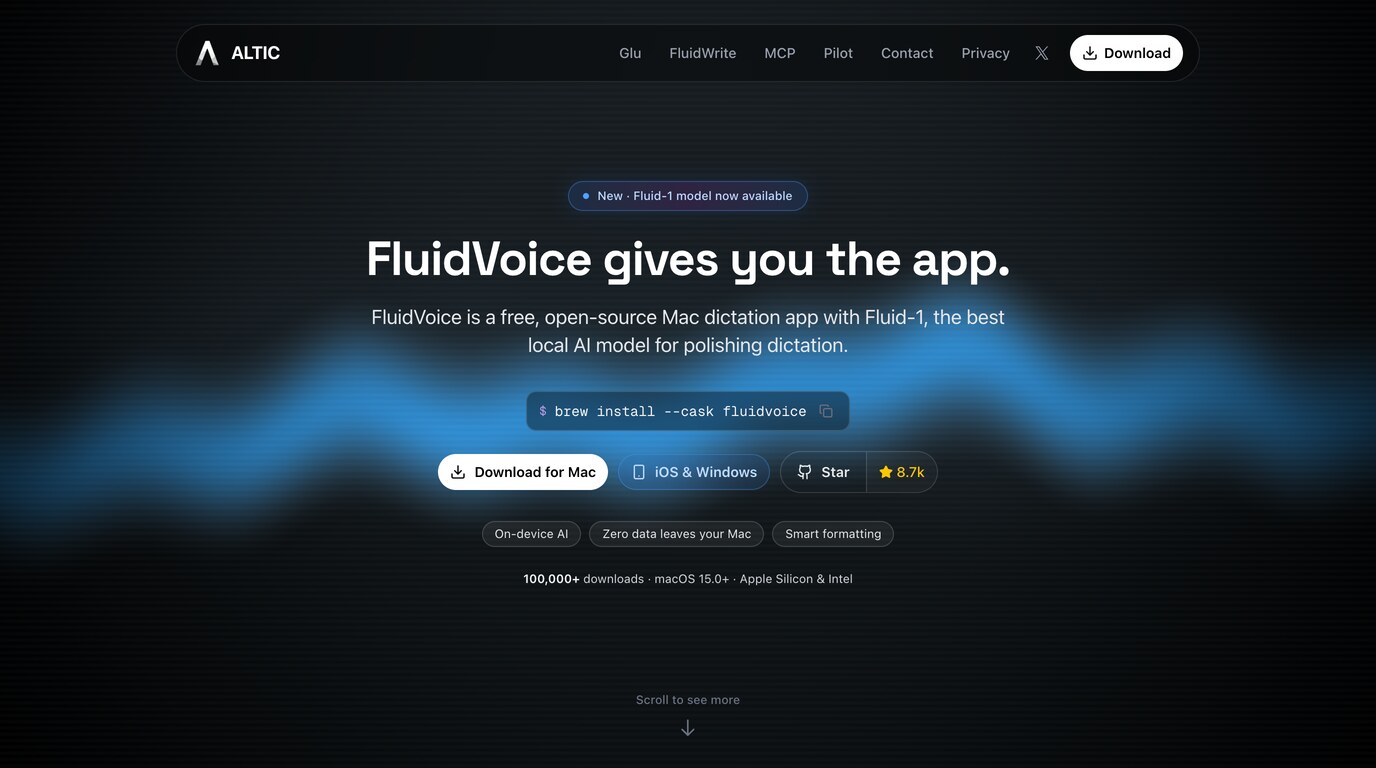
FluidVoice is a free, open-source dictation app for macOS that turns your voice into text in any app on your Mac — email, code editor, Slack, wherever your cursor is blinking. The twist: it runs entirely on your machine. No cloud, no account, no audio ever leaving your laptop.
It pairs local speech recognition — Whisper, Parakeet, Apple Speech and others — with an optional on-device AI layer called Fluid-1 that cleans up your rambling into polished, properly formatted text.

Why you should care
Most people talk about three times faster than they type. FluidVoice just lets you cash in on that difference without the usual trade-offs. Where paid rivals like Wispr Flow charge a monthly subscription and route your voice through their servers, FluidVoice does it for free and keeps everything private by design.
The Fluid-1 model even reads the room: it adapts its tone per app, so you get crisp bullet points in a doc and a relaxed line in a chat window, with no manual switching.
And it is fast. Sub-100ms perceived latency means the words appear roughly as quickly as you can say them, so it feels less like dictating and more like thinking out loud.
If you have ever paid for a dictation tool and quietly resented the recurring bill, this is the app that makes you cancel it.
Ease of use
About as low-friction as software gets. Install it, hold the Option key, start talking, and your words land wherever your cursor is. There is no account to create and no dashboard to learn — just a hotkey and a handful of modes you will pick up in a minute:
- Write — dictate polished prose straight into the active field.
- Command — speak instructions rather than raw text.
- Direct Dictation — verbatim, no clean-up layer.
The only real setup cost is a one-time model download of roughly 3.5 GB.
Pricing
Free. Genuinely, entirely free — open-source under GPLv3, with no tiers, no trial, and no “pro” upsell waiting three screens in. Download the .dmg from the site, drag it into Applications, and you are done — or run brew install --cask fluidvoice if you live in the terminal.
Requirements are the ~3.5 GB download for the AI enhancement model and macOS 15 (Sequoia) or later, on Apple Silicon or Intel. Windows and iOS versions are on the way.
Similar tools
Wispr Flow, Superwhisper, MacWhisper, and the veteran Dragon Dictate. FluidVoice pitches itself squarely as the local, no-subscription alternative to Wispr Flow — the same speak-anywhere convenience, minus the cloud and the invoice.
The verdict
Dictation tools usually ask you to trade privacy for polish, or money for speed. FluidVoice declines both trades and still lands at four and a half stars. If your work involves a keyboard and a deadline, it costs you nothing but a download to find out whether talking beats typing.
→ Try it: altic.dev/fluid
Categories: Voice-to-text · Dictation software · Speech recognition · Privacy-focused AI · Developer tools · Open source